Press Tab to cycle modes stops working

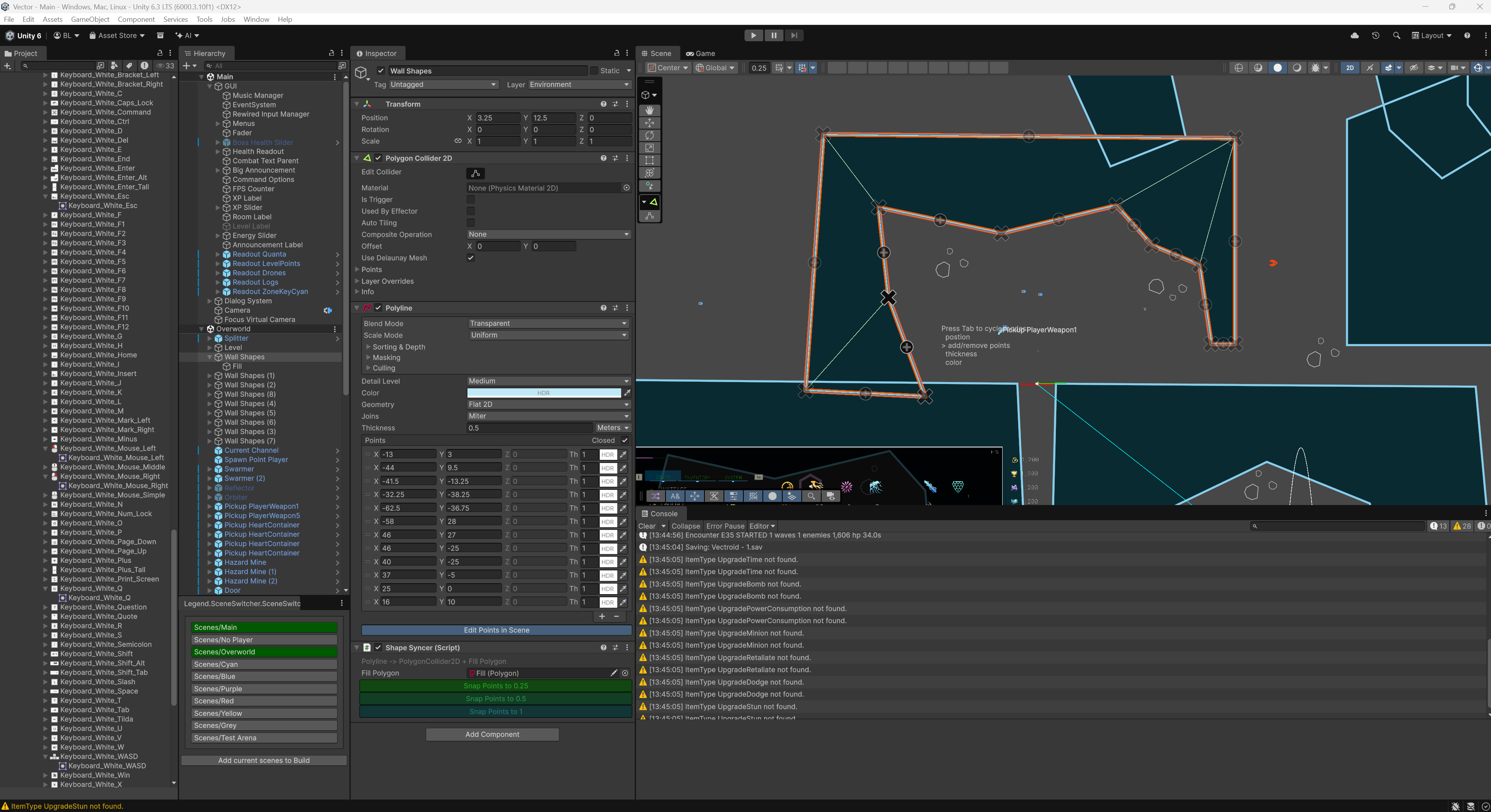
When editing this polyline, the tab to cycle modes stops working. It get's stuck on the second option and won't continue. Makes editing stuff really hard. Please fix or let me know if it won't repro. Might be interference from something else in my setup.
The whole tab thing is a bit janky and could maybe be better done. How's adobe illustrator or inkscape do these complex poly edits? Could we just select a point and hit delete? Could we just click on the middle of a line to add a point?
While you're here, could we be able to multiselect points and move them together?
Reporting a bug? please specify Unity version:
6000.3.10f1
Reporting a bug? please specify Shapes version:
4.5.1
Reporting a bug? please specify Render Pipeline:
URP
The Unity Line Renderer editor can do multi-select and delete points with the delete key, if you'd like another example of what's possible.