Drawing multiple Polygons/Polylines from a single ImmediateModeShapeDrawer does not work

Setup: tiny scene with only a single camera and one ImmediateModeShapeDrawer
Drawer class:
[ExecuteAlways]
public class ShapeDrawer : ImmediateModeShapeDrawer
{
    [SerializeField] private List<Shape> _shapes;

    private PolygonPath _fillPath;
    private PolylinePath _strokePath;

    [Serializable]
    public struct Shape
    {
        public bool fill;
        public bool stroke;
        public Color fillColor;
        public Color strokeColor;
        public bool closed;
        public float lineThickness;
        public ThicknessSpace thicknessSpace;
        public LineGeometry lineGeometry;
        public List<Vector2> points;
    }

    public override void OnEnable() {
        base.OnEnable();

        _fillPath = new PolygonPath();
        _strokePath = new PolylinePath();
    }

    public override void OnDisable() {
        base.OnDisable();

        _fillPath.Dispose();
        _strokePath.Dispose();
    }

    public override void DrawShapes(Camera cam) {
        if(_shapes == null || _shapes.Count < 1)
            return;

        Draw.ResetStyle();
        Draw.Matrix = transform.localToWorldMatrix;

        int i = 0;
        foreach(Shape shape in _shapes) {
            if(shape.points == null || shape.points.Count < 1 || (!shape.fill && !shape.stroke)) {
                i++;
                continue;
            }

            _fillPath.ClearAllPoints();
            _strokePath.ClearAllPoints();

            _fillPath.AddPoints(shape.points);
            _strokePath.AddPoints(shape.points);

            using (Draw.Command(cam)) {
                if(shape.fill) {
                    Dev.Log(gameObject, GetType(), "drawing fill " + i);
                    Draw.Color = shape.fillColor;

                    Draw.Polygon(_fillPath);
                }

                if(shape.stroke) {
                    Dev.Log(gameObject, GetType(), "drawing stroke " + i);
                    Draw.Color = shape.strokeColor;
                    Draw.Thickness = shape.lineThickness;
                    Draw.ThicknessSpace = shape.thicknessSpace;
                    Draw.LineGeometry = shape.lineGeometry;

                    Draw.Polyline(_strokePath, shape.closed, PolylineJoins.Miter);
                }
            }

            i++;
        }
    }
}
Inspector:
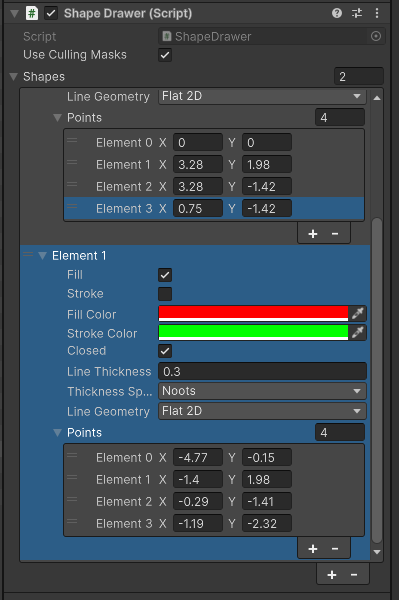
Result (should be a white shape w/ black outline, plus another red shape w/ no outline):
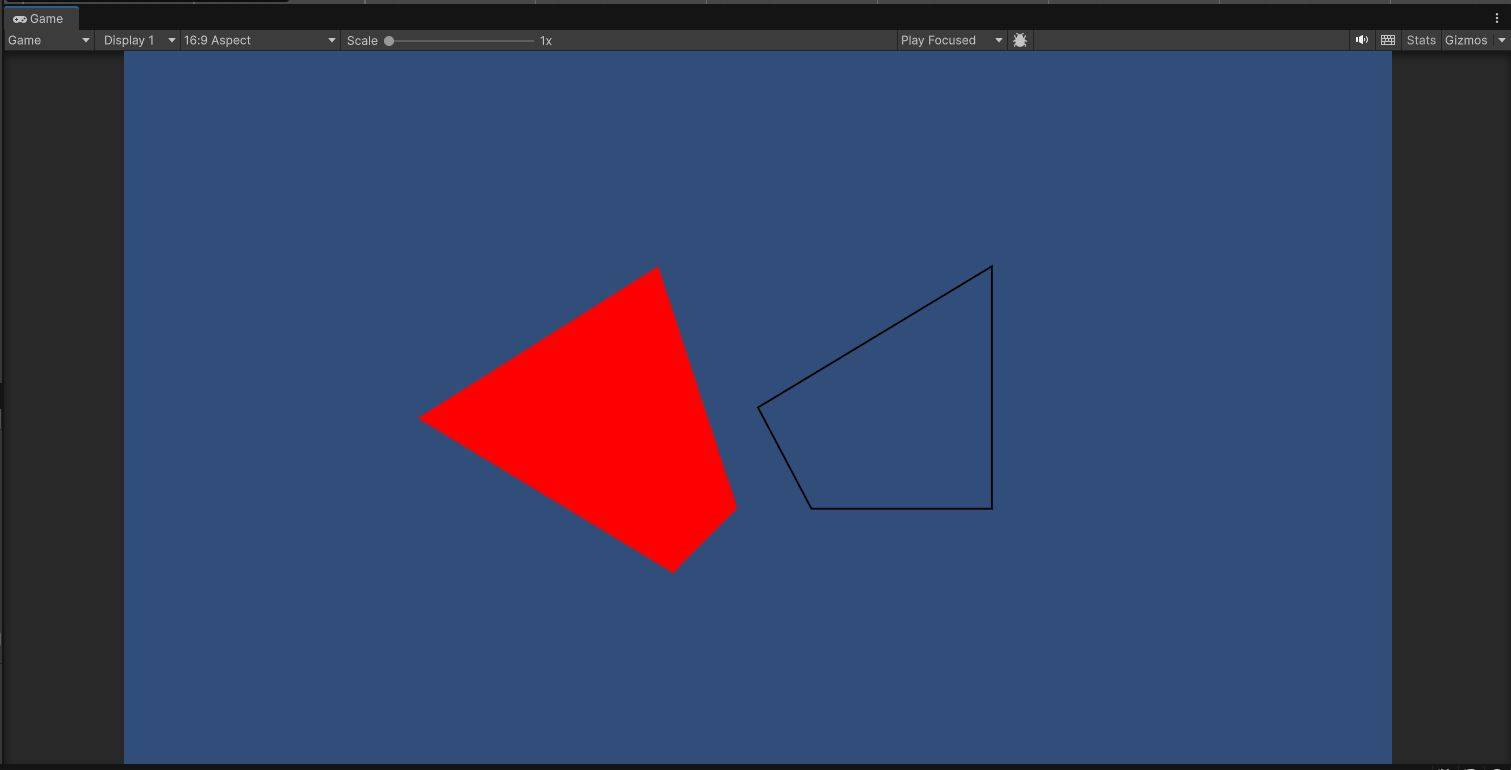
As you can see, it only ever draws one of each shape.
Reporting a bug? please specify Unity version:
6000.3.5f1
Reporting a bug? please specify Shapes version:
4.5.1
Reporting a bug? please specify Render Pipeline:
Built-in render pipeline

There's two things! I'm guessing the second one is the real issue, but